
Trend Following
The plan before the move. The execution with the bot shown step by step.
Trend Follow does not create an edge and does not make risk decisions. It helps execute a plan prepared in advance with consistency. On 2 July 2026 I published a complete DAX scenario before the entry: I defined the entry condition, the first target, the invalidation condition and an alternative confirmation. I then configured the bots to execute that plan. The updates that followed show it playing out and how the rest of the position was managed.
- 01
Plan published before the move - 10:31 - the bot set up to execute the plan described.
I am about to join a longer meeting and won't be able to watch the chart. If price closes above the M1 band, I will try this long. I will keep looking for the entry - either until the local high where TP1 sits is broken, or until a stronger move below the M5 band. If a reaction and a close above M5 appear before a close above M1, I will play that variant instead.
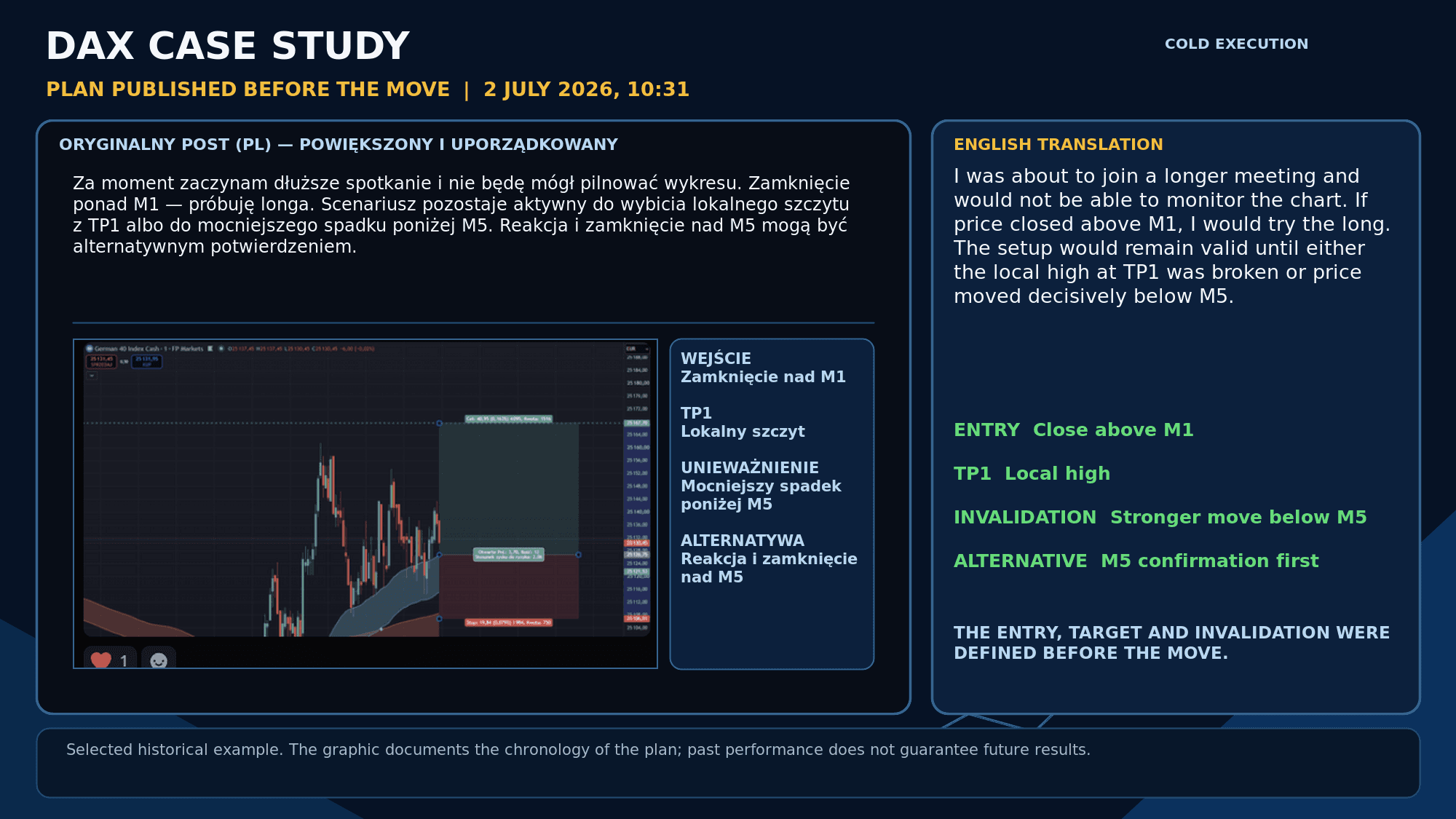
The scenario, the first target and the invalidation condition were published before the move. - 02
The plan playing out during the meeting - 11:50 - the bot opened the position as assumed, moved it to Break Even and filled 2 Take Profit orders.
I have only just finished the meeting, but I can see the plan worked out very well. Both TP levels were reached and I moved the stop loss exactly as shown, locking in +2.5R. The gap that was the target got filled. There is another one higher up, but instead of guessing whether price would reach it the same day, I stayed with the trend and trailed the stop loss along the band. Only after it was taken out was I going to decide whether to re-enter.
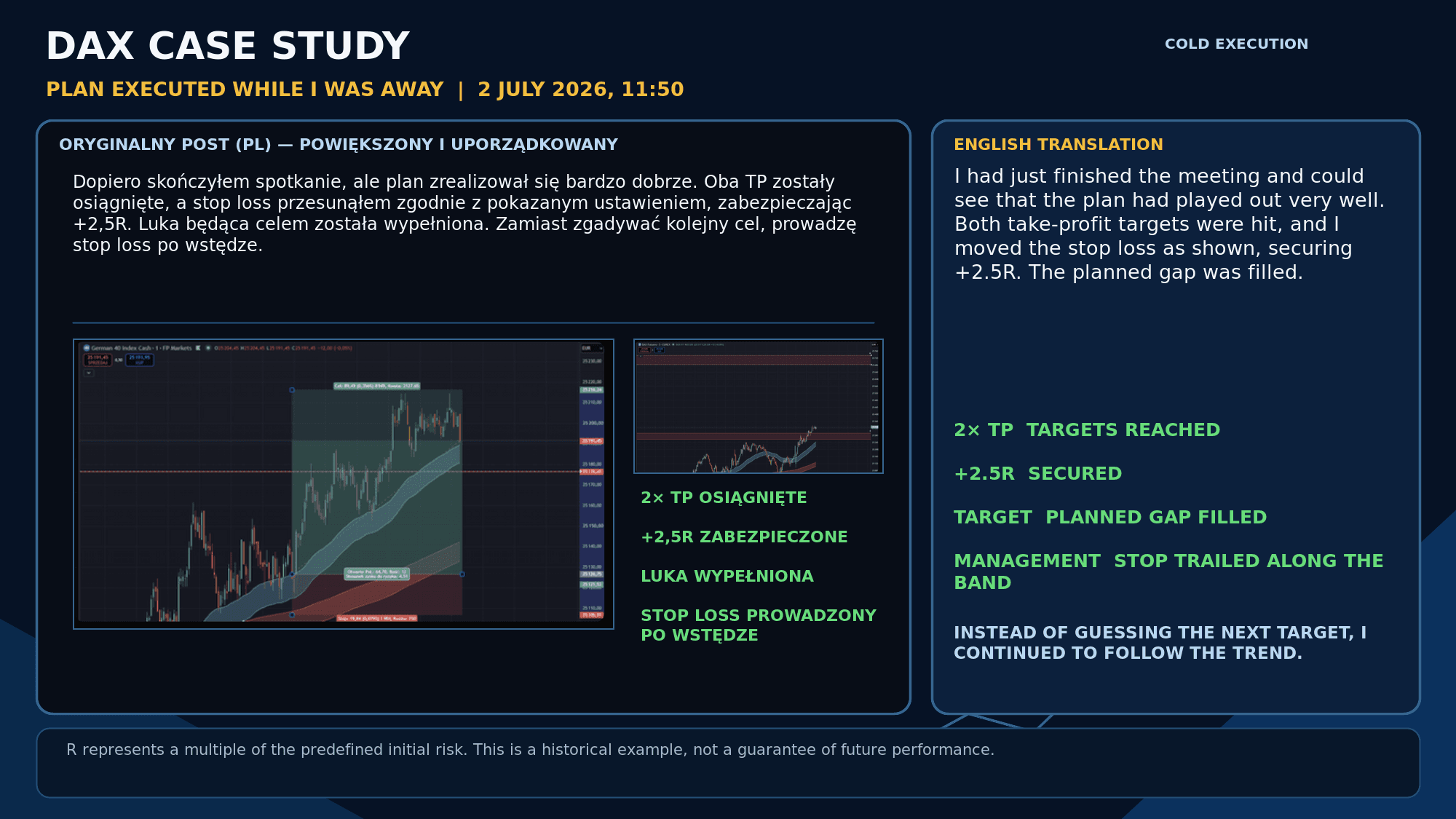
Two targets reached, +2.5R locked in, and the rest of the position managed with a trailing stop. - 03
The final part rode the trend - 17:24 - the bot trailed the SL along the band with 25% of the initial position, maximising its result.
The position is closed. During the session DAX filled two price gaps. The final part reached a maximum of +28R, and the trailing stop closed it at +24R after the earlier partial closes.
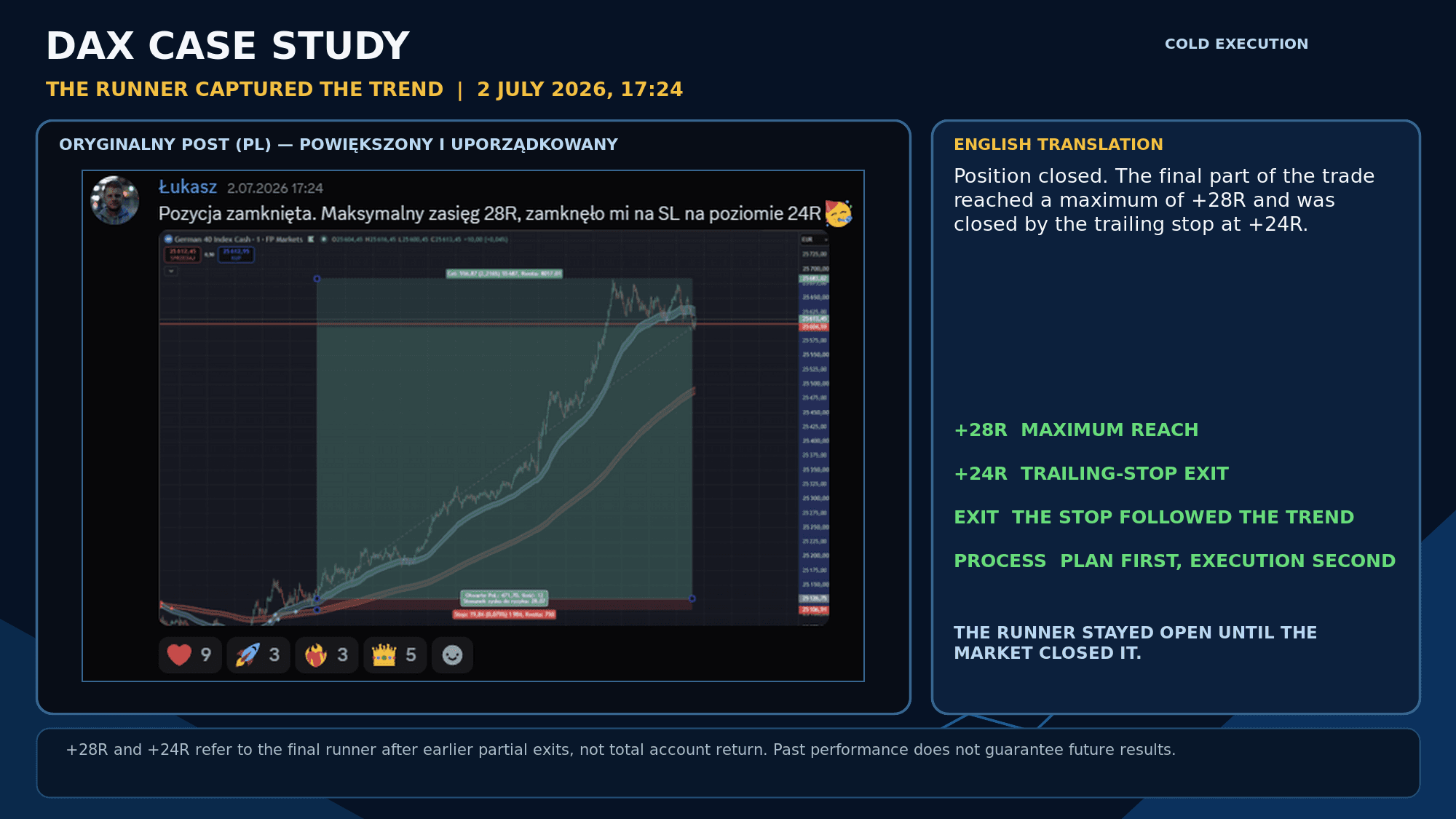
The final part reached a maximum of +28R and was closed by the trailing stop at +24R.
A selected historical example. The +28R and +24R figures refer to the final part of the position after the earlier partial closes, not to the result of the whole account. R means a multiple of the initial risk. Past results do not guarantee future results.
Wider context - the July summary
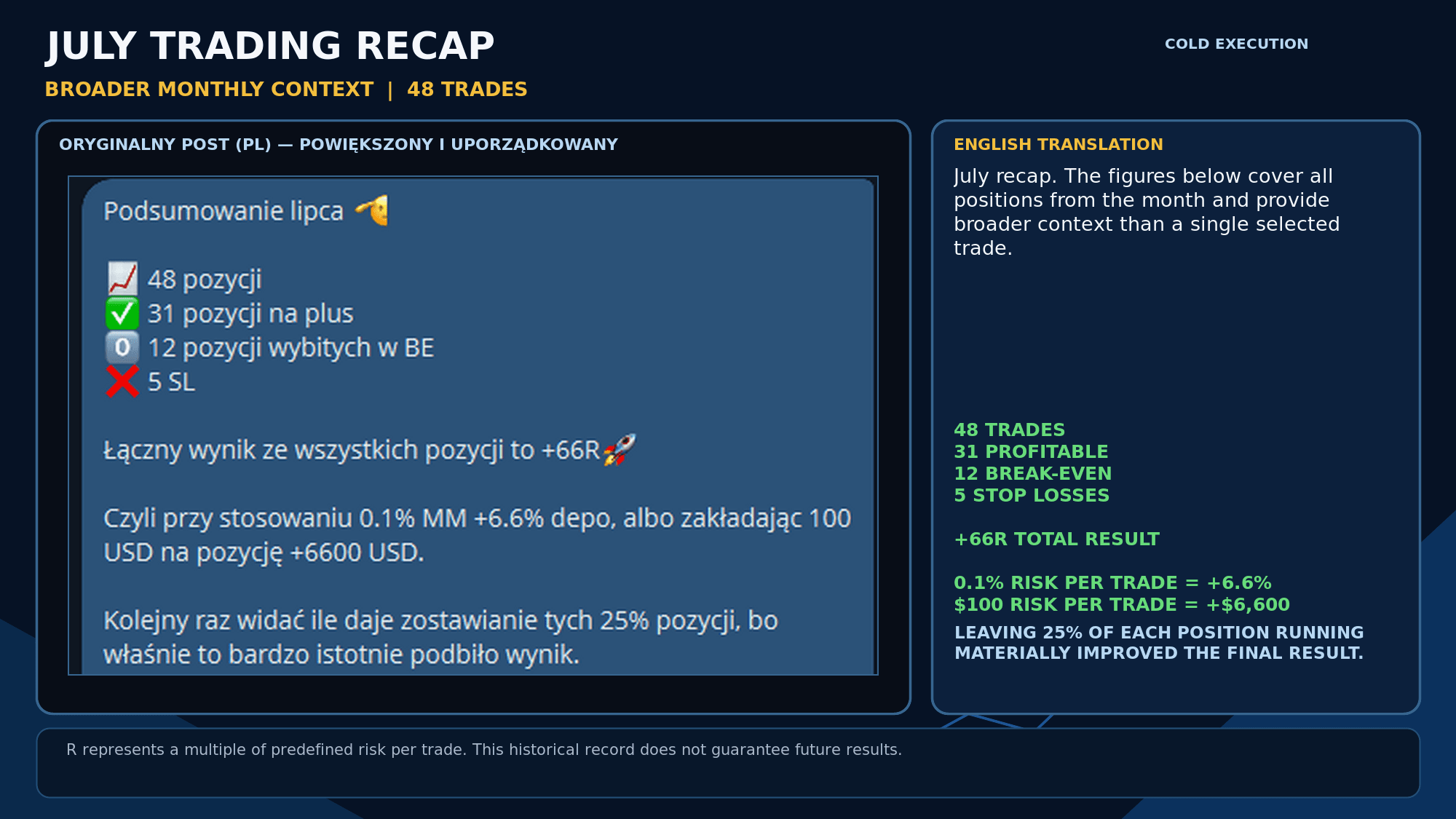
One trade shows the process. The July summary shows the wider context: 48 positions, 31 profitable, 12 closed at break-even and 5 stopped out. The combined result was +66R (Risk Reward, the ratio of risk to reward. A Risk Reward of 2:1 means that if 100 USD was risked on a position and it closed at 2R, it returned 200 USD).
- At 0.1% risk per position that corresponds to a +6.6% change in account value.
- At 100 USD risk per position that corresponds to +6,600 USD.
- Leaving 25% of the position running significantly improved the final result.
Automate the rules. Keep your judgement.
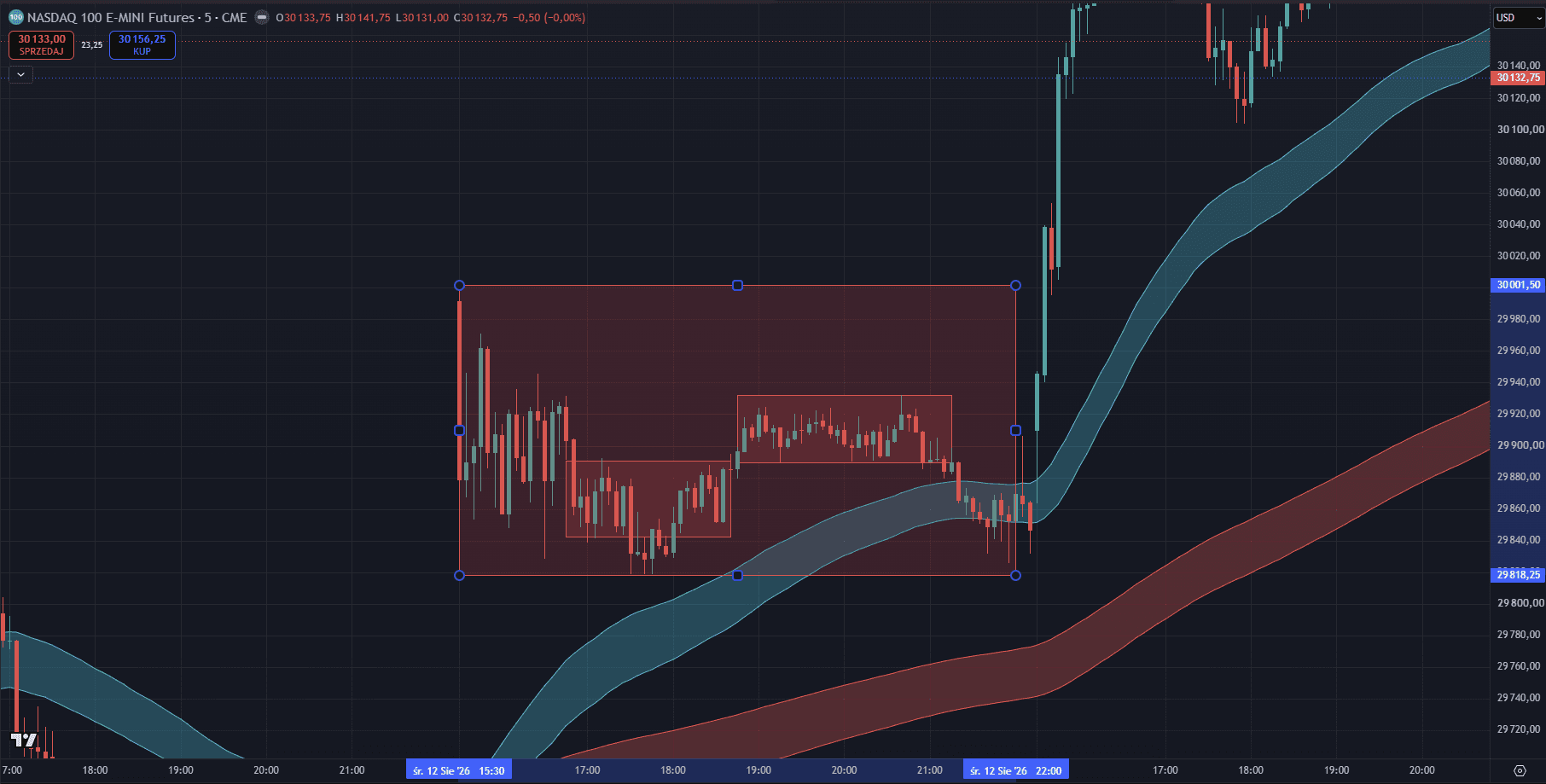
When do I switch the bots off, and when do I work the trend actively with the strategy and extra tools? Trend Follow can execute the configured rules on its own, but I still control the market context. When the market closes into a narrow consolidation after an important event and drifts inside a defined range for a longer time, as in the example shown, I switch the bots off - the technical entry conditions can still appear, but the odds of a clean continuation are weaker then.
When a strong, readable trend shows up instead, I protect the position and use the TradingView indicator included in the Full Access package. Alerts set in advance help me judge when to add to a position or pyramid it, and I run the remaining part close to the market with a trailing stop loss. This is my active way of working and an optional extension of basic bot usage - it is not required to run Trend Follow with the prepared configuration. I do use it privately to improve results.